Keeping production databases on supported versions shouldn’t require giving up your weekend. To stay secure, compliant, and with the best performance and newest AI capabilities, organizations need to run on the latest database engine versions. Yet for many teams, major version upgrades mean weeks of cross-team coordination, negotiating narrow maintenance windows, and hours of application downtime. In an era where mission-critical applications and AI agents operate as 24/7 systems of action, even a brief maintenance outage can mean disrupted customer experiences and lost revenue.
To help, we are excited to announce the preview of fully managed blue-green deployments in Cloud SQL, starting with Cloud SQL for MySQL. You can now execute major version upgrades and configuration updates with minimal downtime via the Google Cloud console or automated CLI scripts. By continuously synchronizing a parallel environment, teams can safely test with production data before a seamless cutover — all while keeping the original database as a reliable safety net after the switchover.
Why the upgrade dilemma matters to your business
Putting off major version upgrades (like moving from MySQL 8.0 to 8.4) exposes you to security vulnerabilities and causes you to miss out on performance improvements and latest AI capabilities. To test changes and avoid in-place upgrade downtime, teams often turn to a blue-green deployment — testing changes on a separate, upgraded staging copy (green) alongside the live database (blue) and switching traffic over once it’s ready. However, manual blue-green setups are incredibly complex to build, synchronize, and safely cut over.
Cloud SQL’s fully managed blue-green deployments can turn your database upgrades from a high-risk weekend project into a predictable, low-downtime operation.
|
The traditional upgrade |
The managed blue-green way |
|
Late-night maintenance: Scheduling hours of offline downtime at 2:00 AM on a Saturday. |
Business-hour upgrades: Staging, sync, and testing happen in the background during normal work hours. |
|
Limited testing options: Tests are limited to non-production environments, adding operational risks. |
Pre-cutover verification: Safely testing actual applications against real-time production data copy before any traffic shifts. |
|
High-stress rollbacks: If an issue is found, rebuilding or restoring from backups takes hours. |
Built-in fallback: Cancel the upgrade and leave your blue instance as is if issues come up, or keep your “old blue” as a manual fallback after cutover.
|
The technical differentiators
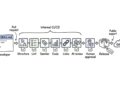
With Cloud SQL, managed blue-green deployments automate the entire lifecycle across three stages:
-
Blue environment (production): Your current primary Cloud SQL instance, which continues serving live application traffic without interruption.
-
Green environment (staging): A temporary clone of your blue instance that Cloud SQL upgrades to your target database version and keeps in sync via continuous replication.
-
Switchover: When you’re ready to cut over, Cloud SQL briefly sets the blue instance to read-only, finishes the final data synchronization, and promotes the green instance to your new primary database.