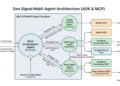
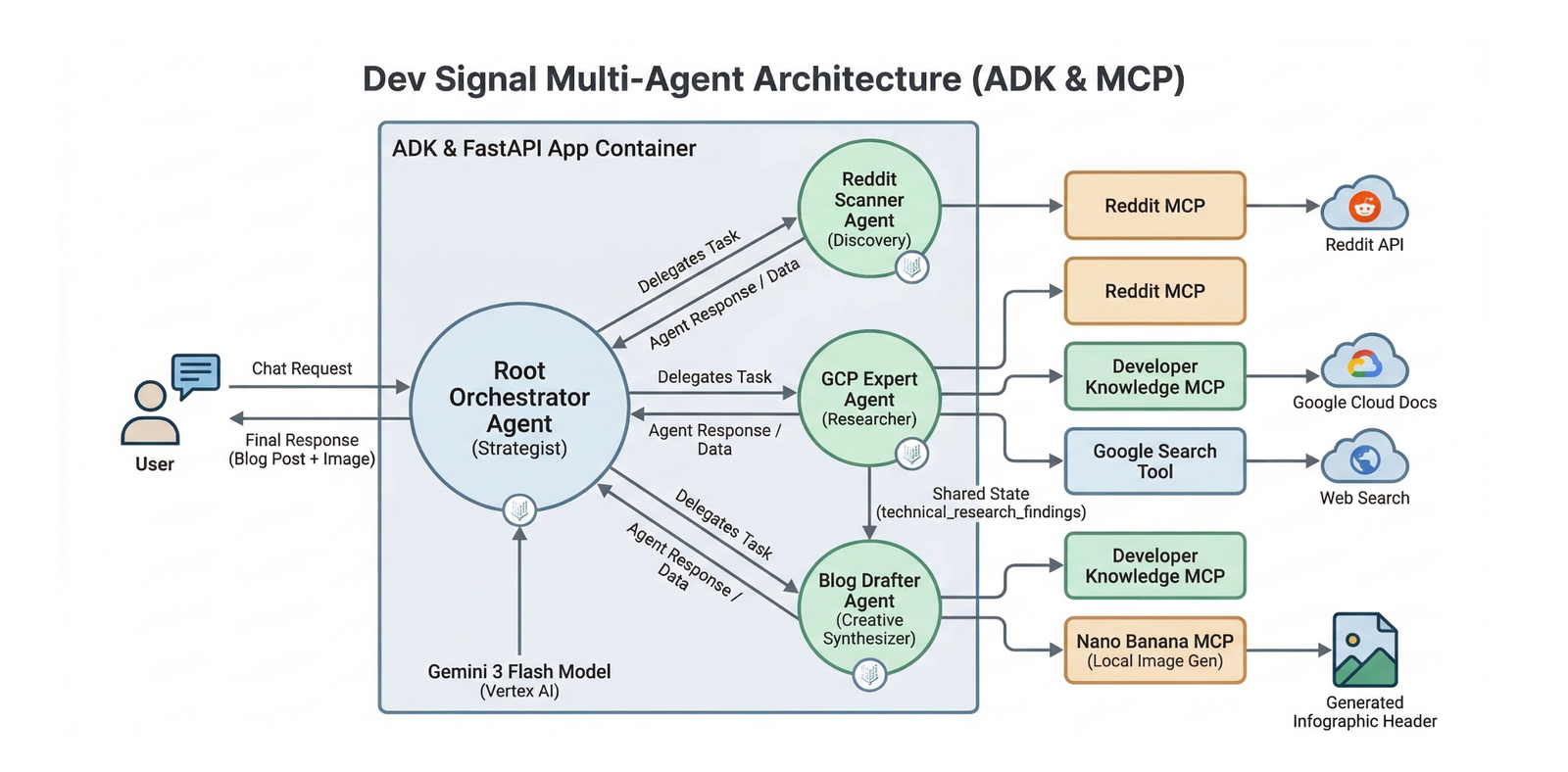
In support of our mission to accelerate the developer journey on Google Cloud, we built Dev Signal: a multi-agent system designed to transform raw community signals into reliable technical guidance by automating the path from discovery to expert creation.
In the first three parts of this series, we laid the essential groundwork by establishing its core capabilities and local verification process:
In part 1, we standardize the agent’s capabilities through the Model Context Protocol (MCP), connecting it to Reddit for trend discovery and Google Cloud Docs for technical grounding. In part 2, we built a multi-agent architecture and integrated the Vertex AI memory bank to allow the system to learn and persist user preferences across different conversations. In part 3, we verified the full end-to-end lifecycle locally using a dedicated test runner to ensure that research, content creation, and cloud-based memory retrieval were perfectly synchronized.
If you’d like to dive straight into the code, you can clone the repository here.
Deployment to Cloud Run and the Path to Production
To help you transition from this local prototype to a production service, this final part focuses on building the production backbone of your agent using the foundational deployment patterns provided by the Agent Starter Pack. We will implement the essential structural components required for monitoring, data integrity, and long-term state management in the cloud. You will learn to implement the application server and helper utilities needed for a production-ready deployment before provisioning secure, reproducible infrastructure with Terraform.
While the Dockerfile packages your agent’s code and its specialized dependencies, such as Node.js for the Reddit MCP tool, Terraform is used to build the platform it lives on. Terraform automates the creation of your Artifact Registry, least-privilege service accounts, and Secret Manager integrations to ensure your API keys remain protected.
By the end of this part, you will have a standardized application framework deployed on Google Cloud Run and a roadmap for graduating your prototype through continuous evaluation, CI/CD and advanced observability.
Production Utilities and Server: Building the System’s Body
In this section, you implement the structural components required for monitoring and long-term state management in the cloud.
-
The Application Server: Initializing the FastAPI server and establishing a vital connection to the Vertex AI memory bank.
-
Implementing Telemetry: Enabling ‘Agent Traces’ for visibility into internal reasoning.
The Application Server
The fast_api_app.py file serves as the vital entry point for your agent, transforming the core logic into a production FastAPI server that acts as the “body” of your system. When deploying to Cloud Run, this server is essential because it provides the necessary web interface to listen for incoming HTTP requests and dispatch them to the agent for processing. Beyond basic serving, its most critical role is establishing a connection to the Vertex AI memory bank by defining a MEMORY_URI, which allows the ADK framework to persist and retrieve user preferences across different production sessions. Additionally, the application server initializes production-grade telemetry for real-time monitoring.
Go back to the dev_signal_agent folder.